Works with your subscription

One connector in your assistant’s settings — nothing separate to install or to pay for.

You connect L-System to Claude, ChatGPT or another assistant — and it walks you through the course the way that suits you: at your pace, with your examples, in your language. We remember where you stopped. The exam you take yourself, here, without the assistant.
Signing up is free
One connector in your assistant’s settings — nothing separate to install or to pay for.
Shorter or deeper, with tasks from your own work, with diagrams described in words — you ask, the assistant rebuilds.
Your assistant explains things in your language even when the course is written in another. The course text and the exam questions stay in the author’s language — it is shown on every course.
Ask your assistant to build a course out of your materials — for students, for colleagues, or just for yourself.
Most of the catalog is open for free, exam and certificate included.
Enrol for free straight from the catalogue.
Into your assistant’s settings, once. Takes a minute.
The site is for later — for the exam and the certificate.
The exam runs on the server, without the assistant. Verified by link.
Questions are never handed to it: your assistant may teach, but only you may answer. That is why the certificate means something, and why anyone can check its signature.
For developers who "know C#" but stall at code review and in interviews when asked why something is built the way it is. The language is taught not as a list of constructs but as a set of decisions with a price: value and reference types, memory and the garbage collector, equality, null, pattern matching, strings and Span, generics, collections, LINQ, exceptions, async and concurrency, data at the process boundary, reflection and source generators. Five units then take SOLID one principle at a time, each as the answer to a concrete pain rather than a slogan. Design patterns follow — creational, structural, behavioural and the applied .NET ones — always including the case where the pattern hurts. The course closes on testability, talking through an architecture decision out loud, and what is new in C# 13 and 14. An optional branch, "C# in an application", takes the language into a working service: the host and DI, Minimal APIs, HttpClient and background jobs, EF Core, tests, and deployment to Azure. Every example lives in one system, the ENGAGE backend of the fictional firm Aldervane. Targets C# 14 / .NET 10 LTS. Written in Russian.
English for Russian speakers who live in the UK and know a little English. The course takes you from A1 to a confident A2 through everyday British situations: neighbours and forms, renting a flat, the supermarket and café, buses and trains, the GP, pharmacy, 111 and 999, the council and bins, the bank, your child's school, work and a job interview. Every unit gives you ready-to-use phrases, one piece of grammar (to be, articles, Present Simple and Continuous, Past Simple, will and going to, Present Perfect, modal verbs) and politeness — why a correct Russian-style sentence can sound rude in English and how to fix it. Explanations are in Russian; examples and dialogues are in British English.
A course for senior developers at Big 4 and other professional-services firms who already use GitHub Copilot — or are about to be told to — and want to use it as an engineer rather than as a faster autocomplete. Copilot in 2026 is an agent platform: agent mode and a Plan agent in Visual Studio 2026 and VS Code, specialised agents for debugging, profiling, testing and .NET modernisation, custom agents and skills your team keeps in the repository, MCP servers, cloud agents that return pull requests, and Copilot CLI in the terminal. The course teaches the skills that separate a senior from a passenger: engineering the context, splitting a task into a plan the agent can execute, reviewing an AI diff as critically as a colleague's, encoding team rules once so they work in every IDE, and knowing exactly what leaves the client's perimeter — and what it costs in AI Credits. Every capability is taught the same way: the pain that makes you reach for it, the capability itself, and its cost — including the uncomfortable ones, such as content exclusion not applying in agent mode, or a green test suite that an agent wrote to match its own bug. The mandatory track follows the official GH-300 (GitHub Copilot) exam outline, so the course doubles as certification preparation; optional units go deeper into Copilot CLI automation, hooks, model and cost engineering, and measuring real productivity. Labs use one sample repository — Aldervane Advisory LLP's ENGAGE platform — that opens in Visual Studio 2026, VS Code and the CLI alike; it is a public GitHub template (github.com/AndreyKuralekh/engage), so each learner starts from their own copy. Every lab also has a read-and-answer path for learners without a Copilot Business or Enterprise seat.
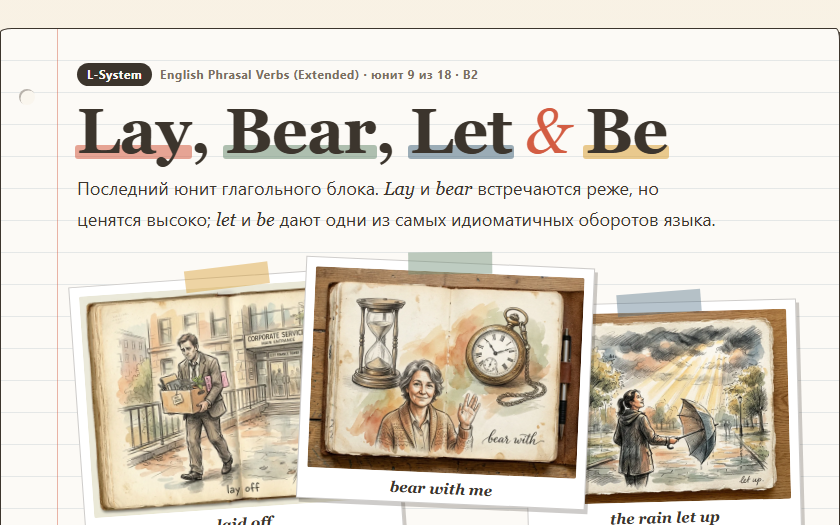
Real results: an assistant built a page from a course unit using a learner’s settings. Each recipe shows the settings, the prompt and how to repeat it yourself. Your assistant will do it its own way: a recipe is an example, not a promise.