
For teachers
A course for L-System is assembled by your own AI assistant — from your materials, in your language. Students take it in their assistant; the exam runs here, on the server.
How to assemble a course
Turn on author modeyou are here
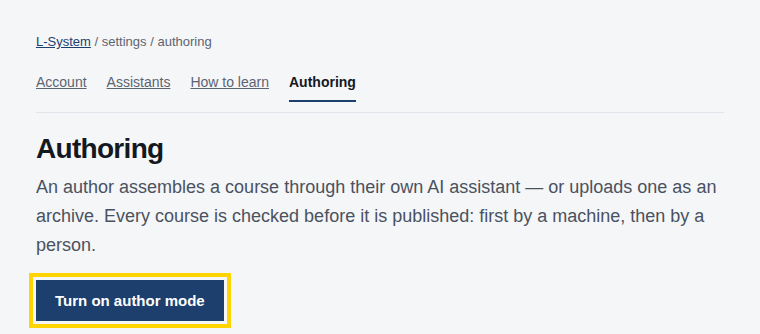
Turn on author mode on the “Authoring” page of your settings — one button, no application form.
The «Authoring» page: the «Turn on author mode» button is highlightedThe «Authoring» page: the «Turn on author mode» button is highlighted Connect your assistant
Connect the assistant to L-System: one connector address, no keys — steps for your assistant.
Ask it to assemble a course
Say this phrase to your assistant and attach your materials.
Connect to L-System and read the author’s guide. Build a course from the attached materials: one unit at a time, with objectives and practice. After each step, give me a link to the draft on the site. I confirm the rights to the material myself — with the button on the site; do not ask me to write it out in words.
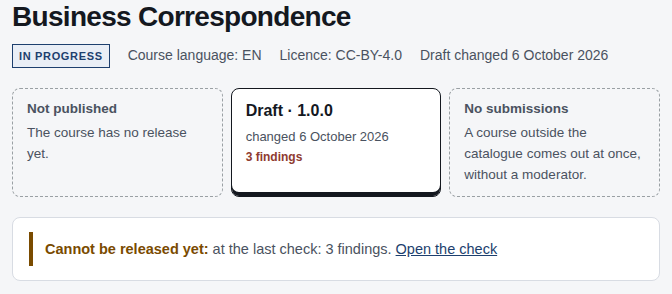
The assistant puts units together one by one, and every answer about the draft carries a link: the draft opens in your author’s desk the way a student will see it.
The author’s desk, a draft: the course title, its versions and the release lineThe author’s desk, a draft: the course title, its versions and the release line Confirm the rights to the materialfor the catalog
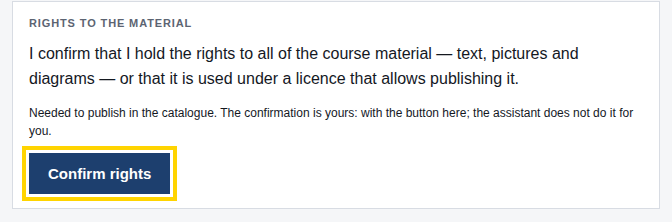
Before a catalog release, confirm the rights to the material with the «Confirm rights» button in the draft’s «Check» section. This statement is yours, and the assistant cannot make it for you: it gives you a link to the button and releases the course once the check passes.
«Rights to the material», the draft’s «Check» section: the «Confirm rights» button is highlighted«Rights to the material», the draft’s «Check» section: the «Confirm rights» button is highlighted Upload the exam questionsfor a course with an exam
Add exam questions separately. The bank never gives them back: neither the students’ assistants nor yours can read them. Keep your own copy — your assistant retires a question by its text.
What the student gets
- the material in their own language, at their own pace, with their own examples
- progress the server remembers between sessions
- an exam in the browser and a certificate anyone can verify
- the whole course readable on the site, without any AI at all
What we do not do
- we do not charge students for the courses in the catalog
- we do not store your source files — only the assembled course
- we never hand exam questions to any AI, including yours
Rights and moderation
A course can be private, shared by link, or public. Only the public one goes through moderation, and only for it do we ask you to confirm the rights to the material. The author stays responsible for the content; a rights holder can write to us and we take the course down.