
Verified on: Visual Studio 2026 18.10, VS Code 1.139, Copilot CLI 1.0.89; GitHub Docs and Microsoft Learn as of 29 September 2026. Custom agents need Visual Studio 18.4+, skills 18.5+, organisation agents 18.9+ (Microsoft Learn; the release notes list them in 18.10).
1. The pain: twelve developers, twelve private prompts
The ENGAGE team at Aldervane has fifteen developers and one shared definition of "a good review". It lives in nobody's repository. Priya pastes a 40-line review prompt from her notes, Tomasz types "review this carefully", and the contractor on the timesheet module asks for "a quick look". Three reviews of the same pull request come back with three different standards. Worse, the one who pasted the longest prompt used agent mode — and the "reviewer" quietly fixed two findings in place, so the author never saw them.
Unit u10 moved the team's always-on conventions into .github/copilot-instructions.md and path-specific *.instructions.md files. That solved "every answer should follow our naming rules". It does not solve two other problems:
- A role. "Act as our reviewer: read-only, check these five things, report in this format" is not a convention for every answer. It is a persona you switch into — with its own tool set.
- A procedure. "How we export timesheets to the client's SAP format, with the validation script" is knowledge the agent needs only occasionally. Loading it into every prompt wastes context and money.
Copilot's answer to the first is the custom agent; to the second, the agent skill. Both are Markdown files in the repository, reviewed in pull requests like code, and — with caveats this unit is about — shared by Visual Studio 2026, VS Code, Copilot CLI and the cloud agent.
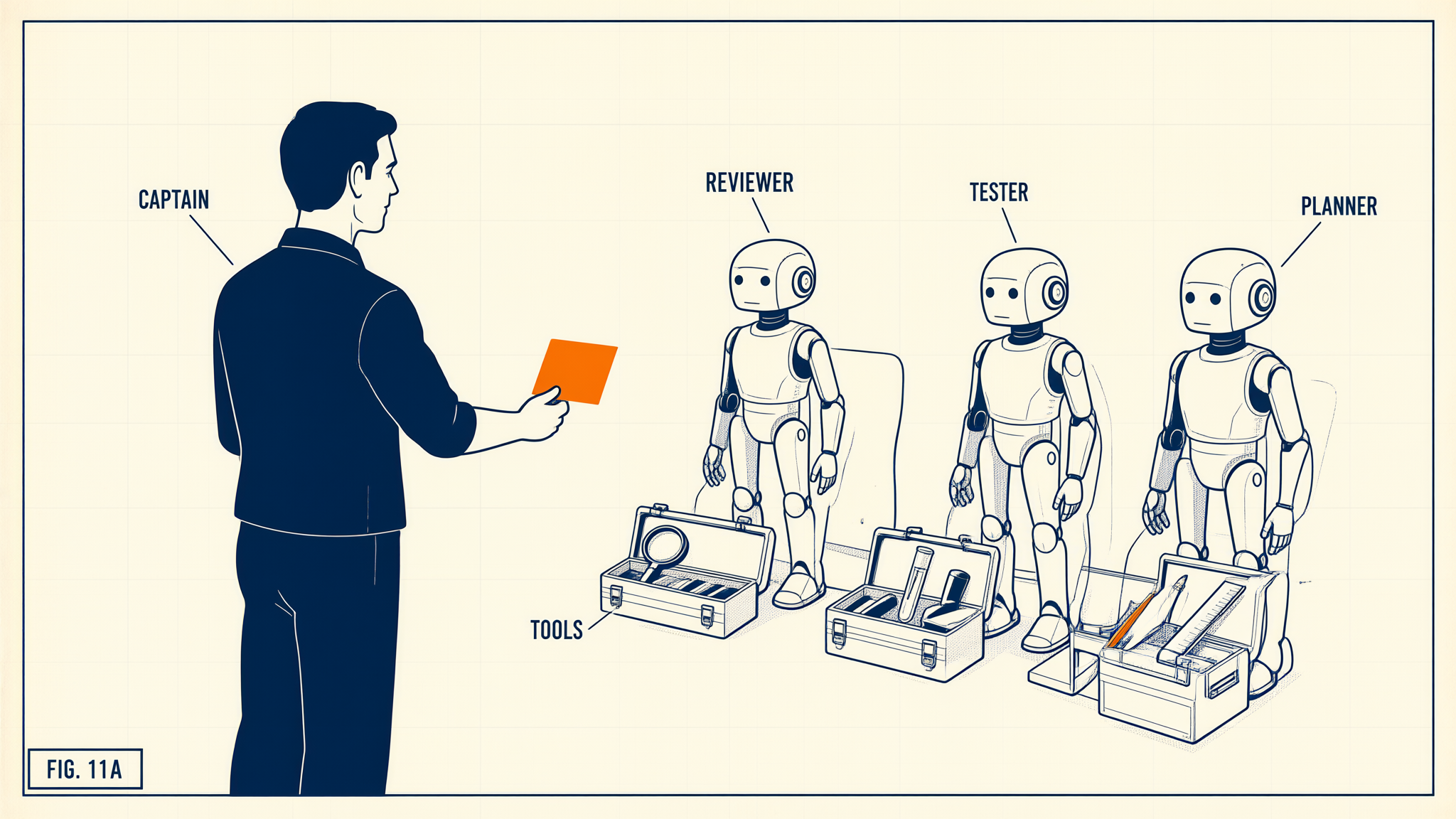
Description
A flight-manual style figure (FIG. 11A). On the left, a human captain labelled CAPTAIN holds out a single orange mission card. On the right stand three identical robots labelled REVIEWER, TESTER and PLANNER. In front of each is its own open toolbox with only two or three tools — a magnifying glass for the reviewer, a test tube and a stamp for the tester, a pencil and a ruler for the planner; the first box is labelled TOOLS. The idea: a custom agent is the same model with a different briefing and a deliberately limited toolbox, and the human still owns the mission. The picture does not show how agents are configured or which environment runs them.
2. The map: four ways to customise, one question each
Before the syntax, decide which mechanism you need. Ask: who triggers it, and when is it loaded?
| Mechanism | File | Triggered by | Loaded into the prompt | Use it for |
|---|---|---|---|---|
| Repository / path instructions (u10) | .github/copilot-instructions.md, *.instructions.md with applyTo |
nobody — always on (or on matching files) | every request | conventions every answer must follow |
| Prompt file | .github/prompts/*.prompt.md |
the developer, as /name |
when invoked | a reusable one-off request template |
| Custom agent | .github/agents/*.agent.md |
the developer picks it in the agents picker (or another agent calls it) | its body, on every turn while selected | a role: persona + tool set + model |
| Agent skill | .github/skills/<name>/SKILL.md (+ scripts, references) |
the model, when the request matches the skill's description; or the developer as /name |
name and description always; body and files only when activated | a procedure with its own resources, used occasionally |
Description
A top-down decision tree with three yes/no questions. First: must every answer follow it? Yes leads to instructions (copilot-instructions.md and *.instructions.md with applyTo). No leads to the second question: is it a role with its own tool limits? Yes leads to a custom agent in .github/agents/*.agent.md, highlighted as the subject of this unit. No leads to the third question: is it a procedure used occasionally, maybe with scripts? Yes leads to an agent skill in .github/skills/<name>/SKILL.md; no — a one-off request template — leads to a prompt file, or a skill with disable-model-invocation.
A note on prompt files: VS Code now marks them as deprecated for its new agent-host sessions and recommends converting them into skills with disable-model-invocation: true, which gives the same "only when I type the slash command" behaviour and also works in the CLI and the cloud agent. Keep existing prompt files working, but write new ones as skills.
3. Custom agents
Anatomy
A custom agent is a Markdown file with YAML front matter. The body is prepended to your prompt on every turn while the agent is selected. The front matter decides what the agent can do.
Here is version 1 of Aldervane's reviewer, as committed by the team in March. Read it before the explanation.
---
name: ENGAGE Reviewer
description: Reviews changes against ENGAGE coding standards and reports findings
tools: ['search', 'usages', 'changes', 'editFiles', 'runInTerminal']
model: Claude Sonnet 5 (copilot)
---
You are the ENGAGE code reviewer. Never modify files.
Check every change for:
1. Client identifiers (engagement codes, client names) in logs or exceptions.
2. Async calls without cancellation tokens.
3. Money as double instead of decimal.
4. Missing tests for public methods.
5. SQL built by string concatenation.
Report findings as a table: file, line, rule, severity, suggested fix.
The defect is the one that bit Priya: "Never modify files" is an instruction, not a permission. The tools list grants editFiles and runInTerminal, so the model can — and under pressure to be helpful, sometimes will — apply its own suggestions. The boundary is the tool list. A reviewer needs read tools only:
tools: ['search', 'usages', 'changes', 'problems']
This is the general rule for every custom agent: least privilege in the front matter, not in the prose. Security-sensitive roles (reviewers, auditors, anything reading client data) get read-only tools.
Front matter across the three environments
| Field | VS Code | Visual Studio 2026 | Copilot CLI |
|---|---|---|---|
name, description |
yes | yes (description required) |
yes |
tools |
yes; <mcp-server>/* for all tools of a server; agent enables subagents |
yes; different tool names (code_search, readfile, editfiles, find_references, runcommandinterminal) |
yes |
model |
name or prioritised list | yes | yes |
handoffs, agents, user-invocable, disable-model-invocation, target, hooks (preview) |
yes | not documented — treat as VS Code-only | partly; check the CLI docs for your version |
Where the files live:
- Repository:
.github/agents/— read by all three environments and by the cloud agent. VS Code also reads.claude/agents/. - User:
~/.copilot/agents/(VS Code and CLI);%USERPROFILE%\.github\agents\in Visual Studio by default (changeable in Tools > Options > GitHub > Copilot). - Organisation: defined by org or enterprise owners on GitHub; auto-discovered in VS Code (setting
github.copilot.chat.organizationCustomAgents.enabled) and in Visual Studio 18.9+ (18.10 per the release notes).
Precedence trap (CLI): what happens when an agent with the same name exists in both ~/.copilot/agents/ and .github/agents/? GitHub's own documentation disagrees: the CLI how-to pages and plugin reference say the one in your home directory wins; the command reference says the project-level agent wins. Either way, a developer with an old personal engage-reviewer.agent.md may silently run their own rules instead of the team's. Do not depend on precedence: give team agents names nobody reuses personally, and check which definition is active with /agent before trusting a review.
The tool-name trap
Tool names are not portable. VS Code calls the edit tool editFiles; Visual Studio calls it editfiles; the search tools differ entirely. Both IDEs ignore tool names they do not recognise — without an error. So a reviewer tuned in VS Code and opened in Visual Studio may run with a different tool set than its author intended. Two defences:
- After adding an agent, open it in each IDE the team uses and check the Tools picker in the chat window.
- For agents that must behave identically everywhere, keep the tool list minimal and verify it in the environment where the stakes are highest.
Using a custom agent
- VS Code: pick it in the agents dropdown of the Chat view;
/agentsopens the configuration menu;/create-agentdrafts one from a description. - Visual Studio 2026: pick it in the agent picker of Copilot Chat. For organisation agents you can inspect the definition and its source organisation before use — do it.
- Copilot CLI:
/agentin an interactive session, or non-interactively:copilot --agent engage-reviewer --prompt "Review the staged changes". The CLI may also infer the agent from its description.
4. Handoffs and subagents (VS Code)
Two mechanisms connect agents in VS Code. They are easy to confuse and are an exam favourite.
Handoffs are buttons that appear after an agent finishes, offering the next step with a pre-filled prompt. The developer stays in the loop:
handoffs:
  - label: Start implementation
    agent: engage-implementer
    prompt: Implement the plan above. Run the tests after each step.
    send: false
With send: false the prompt is only pre-filled; the developer reads the plan and presses send. send: true submits it automatically — convenient, and exactly the step where a human review of the plan disappears.
Subagents are other agents that the model itself calls during a task. Each runs in its own context window and returns only its result. That is the point: a planner that must read forty files can hand the reading to a research subagent and receive a two-page summary, instead of filling its own context with forty files. Requirements: the calling agent has the agent tool in tools, lists allowed subagents in agents (or ['*']), and the target agent does not set disable-model-invocation: true.
| Handoff | Subagent | |
|---|---|---|
| Who starts it | the developer, via a button | the model, mid-task |
| Context | continues in the chat | separate context window; returns a result |
| Declared by | handoffs: with label, agent, prompt, send |
agent tool + agents: list |
| Cost | none extra | extra model calls — but a smaller main context |
5. Agent skills
Anatomy
A skill is a folder. SKILL.md is required; everything else is optional.
.github/skills/
└── engage-timesheet-export/
    ├── SKILL.md
    ├── scripts/validate-export.ps1
    └── references/sap-field-map.md
---
name: engage-timesheet-export
description: Exports ENGAGE timesheets to the client SAP CATS format and validates the file. Use when asked to export, convert or check timesheet data for a client SAP upload.
---
1. Read references/sap-field-map.md for the field mapping.
2. Generate the CSV with the existing TimesheetExporter class; do not write a new exporter.
3. Run scripts/validate-export.ps1 on the output and report every failed row.
4. Never include employee national ID numbers; the mapping marks them as excluded.
Rules that validate will not forgive you:
name: lowercase letters, digits and hyphens, at most 64 characters, and equal to the folder name.description: at most 1,024 characters. It must say what the skill does and when to use it — it is the only part the model sees until the skill is activated.- Visual Studio additionally documents
license,compatibility,metadataandallowed-tools; VS Code documentsargument-hint,user-invocableanddisable-model-invocation.
Locations are the same in Visual Studio (18.5+) and VS Code: project skills in .github/skills/, .claude/skills/ or .agents/skills/; personal skills in ~/.copilot/skills/, ~/.claude/skills/ or ~/.agents/skills/. The format is the open Agent Skills standard (agentskills.io), so the same folder works in the CLI and the cloud agent too.
Progressive loading — why skills are cheap
Description
A left-to-right chain of three boxes. Level 1, discovery: the name and description of every installed skill are always in context. An arrow labelled 'request matches description, or /name' leads to level 2, instructions: the SKILL.md body, loaded only when the skill is activated (highlighted). An arrow labelled 'step needs the file' leads to level 3, resources: scripts and reference files, loaded only when the body refers to them. The point: twenty installed skills cost twenty short descriptions, not twenty full bodies.
Twenty skills in a repository cost twenty descriptions per request, not twenty bodies. Compare a custom agent, whose whole body rides along on every turn while it is selected, and repository instructions, which ride along on every request of every developer. Put long, occasional knowledge in skills.
Who may trigger a skill
| Front matter (VS Code) | /name in chat |
Model loads it on its own | Use for |
|---|---|---|---|
| default | yes | yes | most skills |
user-invocable: false |
no | yes | background knowledge the developer never calls directly |
disable-model-invocation: true |
yes | no | anything with side effects: deploy, data export, bulk edits |
In Visual Studio, activated skills appear in the chat so you can see which one is being applied. Built-in .NET and Azure skills ship with the workloads (18.8+) and are off by default: open the Tools picker, expand Built-in, read the skill (the ... menu shows its folder) and enable only what the task needs.

Description
A flight-manual style figure (FIG. 11B). A pilot sits in the cockpit with one manual open on his knee; it is the only orange object, labelled SKILL, and his finger rests on a page. Beside the seat stands an open flight bag packed with closed manuals, labelled FLIGHT BAG; a third label reads DESCRIPTIONS. The idea: the agent carries the titles and descriptions of all its skills at once, but opens a manual — the SKILL.md body and its scripts — only when the task calls for it. The picture does not show the exact file layout.
6. The costs
Tokens and AI Credits. A custom agent's body is sent on every turn; a 3,000-token persona in a 40-turn session is 120,000 input tokens before any code. Skills are cheap until activated. Subagents add calls but keep the main context — and every later call in the session — smaller. Under usage-based billing (since June 2026) these are budget decisions, not style.
Silent failures. Unknown tool names are ignored; a skill whose name does not match its folder is not loaded; a skill with a vague description is simply never activated; a personal agent with the team's name shadows the repository one in the CLI. None of these raise an error in your face. Test every new agent and skill in each environment the team uses.
Security and supply chain. A skill can ship scripts that the agent runs in your terminal; an agent can list MCP servers. Treat both as code: review them in pull requests, keep side-effecting skills behind disable-model-invocation: true, and never install a community skill or an organisation agent you have not read. For client work, a skill's references/ folder is also a place where client data can end up committed — the same rules as for any file in the repository apply.
Governance. Organisation agents and organisation instructions (Copilot Business/Enterprise) let a practice publish one reviewer for all its repositories. The price is central ownership: someone must maintain it, version it and answer when it misfires.
7. Lab: a read-only reviewer and an export skill
Hands-on path (Copilot Free/Pro is enough for the IDE part):
- Open
.github/agents/engage-reviewer.agent.md— the template ships the fixed, read-only version. To reproduce March, replace itstoolsline with version 1's list above, select the agent in VS Code and ask it to fix the first finding it reports: note that it can. Then restore the read-only list. - In VS Code, select ENGAGE Reviewer in the agents dropdown, apply and stage the prepared change:
git apply samples/patches/u11-ratecalculator-minimum-charge.patch, thengit add src/Engage.Timesheets/RateCalculator.csand ask for a review. Confirm that the agent reports thedoublemoney field and does not offer to edit. - Open the same repository in Visual Studio 2026, pick the agent, and open the Tools picker. Write down which of your tools Visual Studio recognised. Adjust the list so the agent has read access in both IDEs.
- Create
.github/skills/engage-timesheet-export/SKILL.mdfrom section 5, and copydocs/export/sap-field-map.mdtoreferences/andtools/export/validate-export.ps1toscripts/inside the skill folder. Ask in agent mode: "Prepare the September timesheet export for the client upload." Check that the chat shows the skill being applied. - Add
disable-model-invocation: true, repeat the same request, then run/engage-timesheet-exportexplicitly. Note the difference. - Optional (CLI):
copilot --agent engage-reviewer --prompt "Review the staged changes"; then create a personal~/.copilot/agents/engage-reviewer.agent.mdwith different rules and observe which one runs on your CLI version — then delete it. Undo the patch afterwards:git restore --staged --worktree src/Engage.Timesheets/RateCalculator.cs.
Read-and-answer path: if you have no suitable seat, work through steps 1–6 on paper using the files shown in this unit, and answer for each step: what would the agent be able to do, which file wins, and what would you see in the chat? The practice items below check exactly these points.
Key points
- Instructions are for every answer; custom agents are roles; skills are occasional procedures; new prompt files are better written as skills.
- An agent's permissions are its
toolslist. Prose like "never modify files" is not a control. - Tool names differ between Visual Studio and VS Code and unknown names are ignored silently — verify in the Tools picker.
- Handoff = a button for the human; subagent = a call by the model into a separate context.
- A skill's
nameequals its folder; itsdescriptionsays what and when; only the description is always loaded. - Same-named agents in
~/.copilot/agents/and.github/agents/are a trap: the CLI docs disagree on which wins, so avoid name clashes and check with/agent.